


Adding new stock to Antiques Boutique has never been easier
|
Thursday 1st October 2026 at 10:36 By Matteo |
 |
If you already list your stock on your own website or another marketplace, typing all the same details in again feels like doing the job twice. That's why we've built a new Add item from URL feature to our Dealer Area that copies an item's details across for you.
Perfect if you…
- Have your own website and want to show some of your items on Antiques Boutique too
- Sell on another marketplace and want to bring across a few items one at a time, rather than everything at once
- List items somewhere else and simply want a quicker way to add them here
This feature allows you to simply give the web address (known as a URL) of the item on your own website or another marketplace, and our new feature will grab all the details of the item so you can add it on Antiqes Boutique too.
This adds to all the other facilities we have for adding items to Antiques Boutique, including bulk imports from other marketplaces, or automated uploads should you also have a website built by us.
Adding an item in four easy steps
It only takes a minute or two. Here's how to bring an item across from your website or another marketplace
Step 1) Open Add item from URL
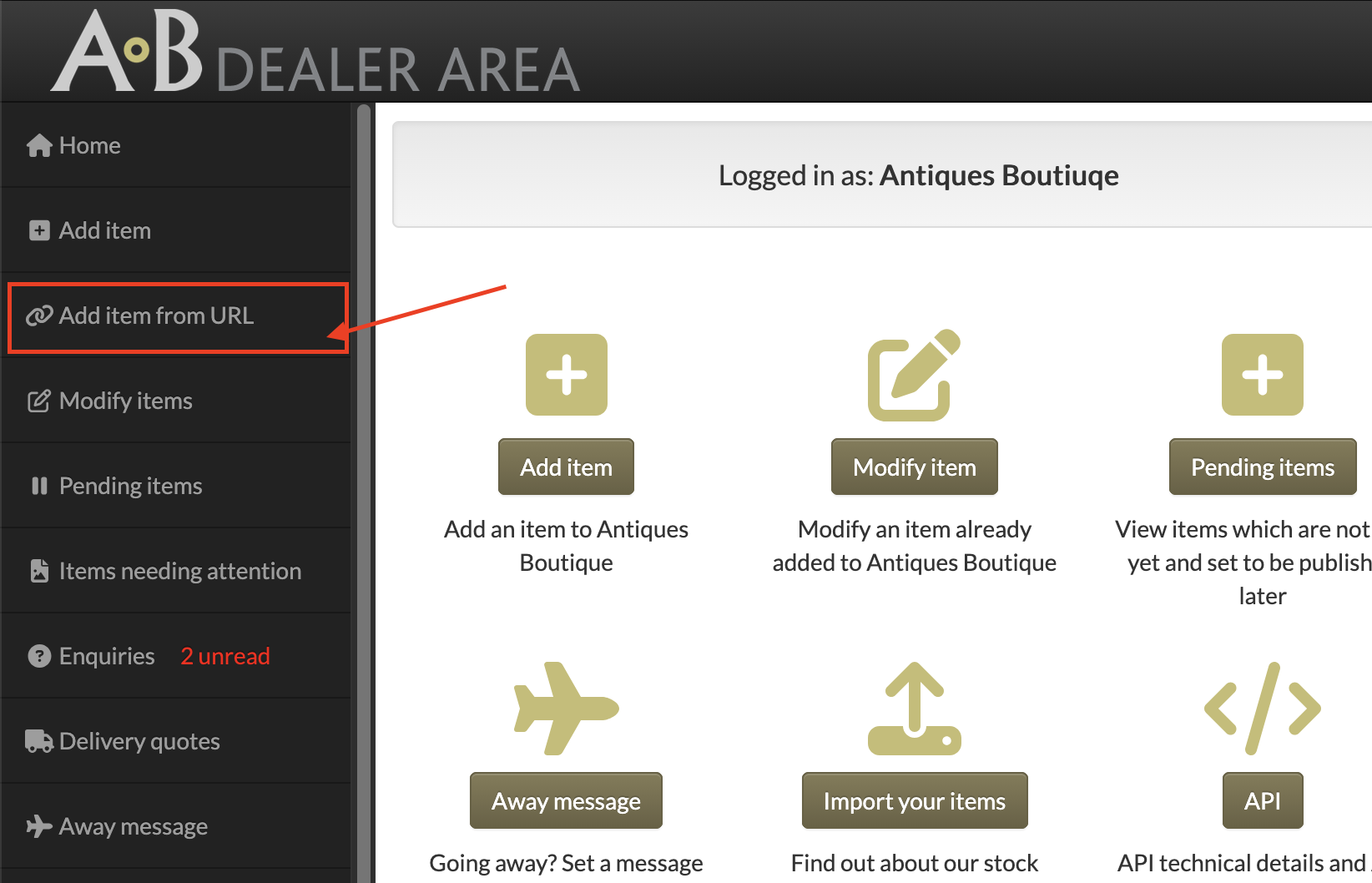
Log in to your Dealer Area. In the menu on the left, click Add item from URL, just below Add item.
Step 2) Paste in the link to your item
Go to the item's page on your website or marketplace and copy the web address (URL) from your browser's address bar. Paste it into the box and click Import item.
Use the link to a single item's page, not a category page or search results. The tool adds one item at a time.
Step 3) Check the details we've found
Our system reads the page and shows you everything it was able to find. Depending on the website, this can include:
- Item name
- Item reference / ID
- Period
- Price and currency
- Description
- Images
- Whether the item is sold
- Dimensions (width, height, depth and length)
Look through the details. If everything looks right, click Confirm and import product.
Step 4) Add the finishing touches
Your item is then added and you're taken straight to its edit page. Check everything and add anything that's missing, such as a category, extra photos or a fuller description, and your item is ready to go.
Got lots of items? Let us do the work
Add item from URL is perfect for adding a few items. If you'd like to bring across your whole stock from another marketplace, there's an easier way: we can import your items in bulk for you from the following marketplaces -:
- 1st Dibs
- antiques.co.uk
- BADA
- Chairish
- Concept 500
- Decorative Collective
- LAPADA
- Love Antiques
- Selling Antiques
- The Hoarde
- Vinterior
As well as importing from marketplaces, we can import your items from a CSV spreadsheet, or connect your own system directly to ours using our API. To find out more, visit Data import in your Dealer Area or contact us. We'll be happy to talk through the best option for you.
*T&Cs apply, more information can be found here
Not a dealer with us yet?
Antiques Boutique is home to dealers in antiques, art and collectables, all in one place, with a team you can actually talk to. Joining is simple, and with tools like Add item from URL and our bulk import service, getting your stock online has never been easier.


